
Working time models
Working time models define how many hours an employee should work per weekday. Together with the salary entry, they enable target/actual comparison in time tracking and cost calculation in statistics.
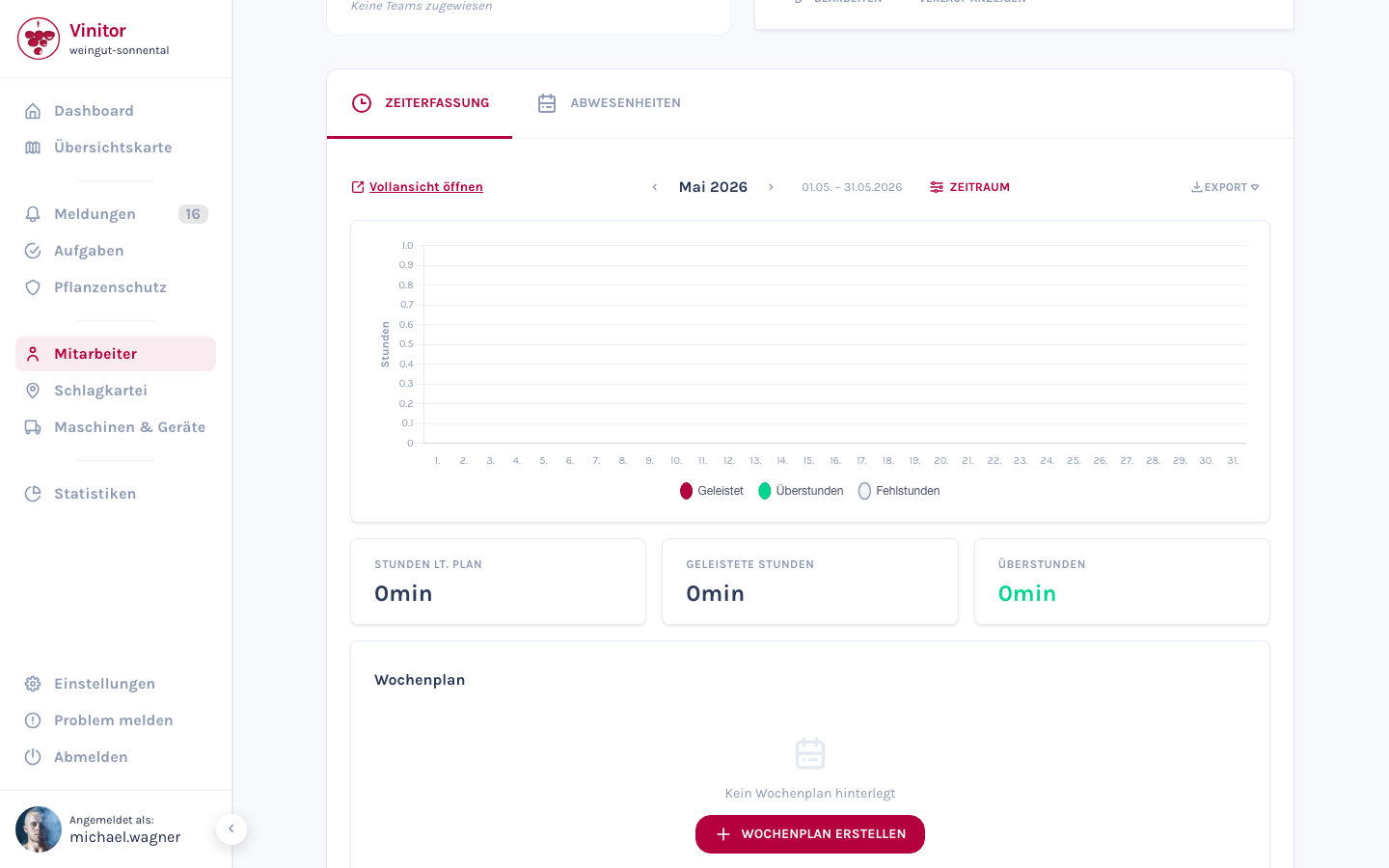
Create weekly schedule
Section titled “Create weekly schedule”-
Open the detail view of an employee.
-
Switch to the Time tracking tab.
-
Click Create in the Working time model section.
-
Enter the effective from date — the date from which the weekly schedule applies.
-
Set the hours per weekday (Monday to Sunday). Each day accepts a value between 0 and 24 hours.
-
Click Save.
Field reference
Section titled “Field reference”| Field | Description |
|---|---|
| Effective from | Start date from which the weekly schedule applies |
| Monday – Sunday | Target hours per weekday (0–24 h) |
| Weekly hours | Automatically calculated sum of all daily hours (display only) |
Edit weekly schedule
Section titled “Edit weekly schedule”Click on an existing weekly schedule to edit it. The effective from date cannot be changed for existing entries — create a new weekly schedule if needed.
History
Section titled “History”An employee can have multiple weekly schedules with different effective dates. The current schedule is determined by the effective from date — the schedule whose start date is closest in the past applies.
Salary entries
Section titled “Salary entries”In the Salary section of the detail view you manage the employee’s compensation.
-
Click Create in the salary section.
-
Enter the effective from date.
-
Select the salary type: Monthly or Hourly.
-
Enter the amount and currency.
-
Click Save.
Field reference
Section titled “Field reference”| Field | Description |
|---|---|
| Effective from | Start date from which the salary entry applies |
| Salary type | Monatlich or Stündlich |
| Amount | Salary amount |
| Currency | Currency of the salary (default: EUR) |
Hourly rate calculation
Section titled “Hourly rate calculation”For a monthly salary, Vinitor automatically calculates the hourly rate based on the current weekly schedule:
Hourly rate = Monthly salary ÷ ((Weekly hours × 52) ÷ 12)
Salary history
Section titled “Salary history”As with weekly schedules, multiple salary entries with different effective dates can be stored. The active entry is determined by the effective from date.
Interaction with time tracking
Section titled “Interaction with time tracking”Working time models and salary form the basis for:
- Target/actual comparison — The target hours in time tracking are based on the assigned weekly schedule. Without a weekly schedule, no target hours are calculated.
- Cost calculation — In statistics, labour costs are calculated based on the hourly rate and recorded actual hours.
Permissions
Section titled “Permissions”| Permission | Description |
|---|---|
TIME_TRACKING_READ | View working time models |
TIME_TRACKING_EDIT_OWN | Edit own working time model |
TIME_TRACKING_EDIT_ALL | Edit working time models of all employees |
SALARY_READ | View salary entries |
SALARY_WRITE | Create and edit salary entries |
Related pages
Section titled “Related pages”SUPPORT
Need help?
Our team is happy to help with any questions about Vinitor.