
Business — Business data
In the Business tab you maintain the master data of your business — company name, holding number, address and location on the map.
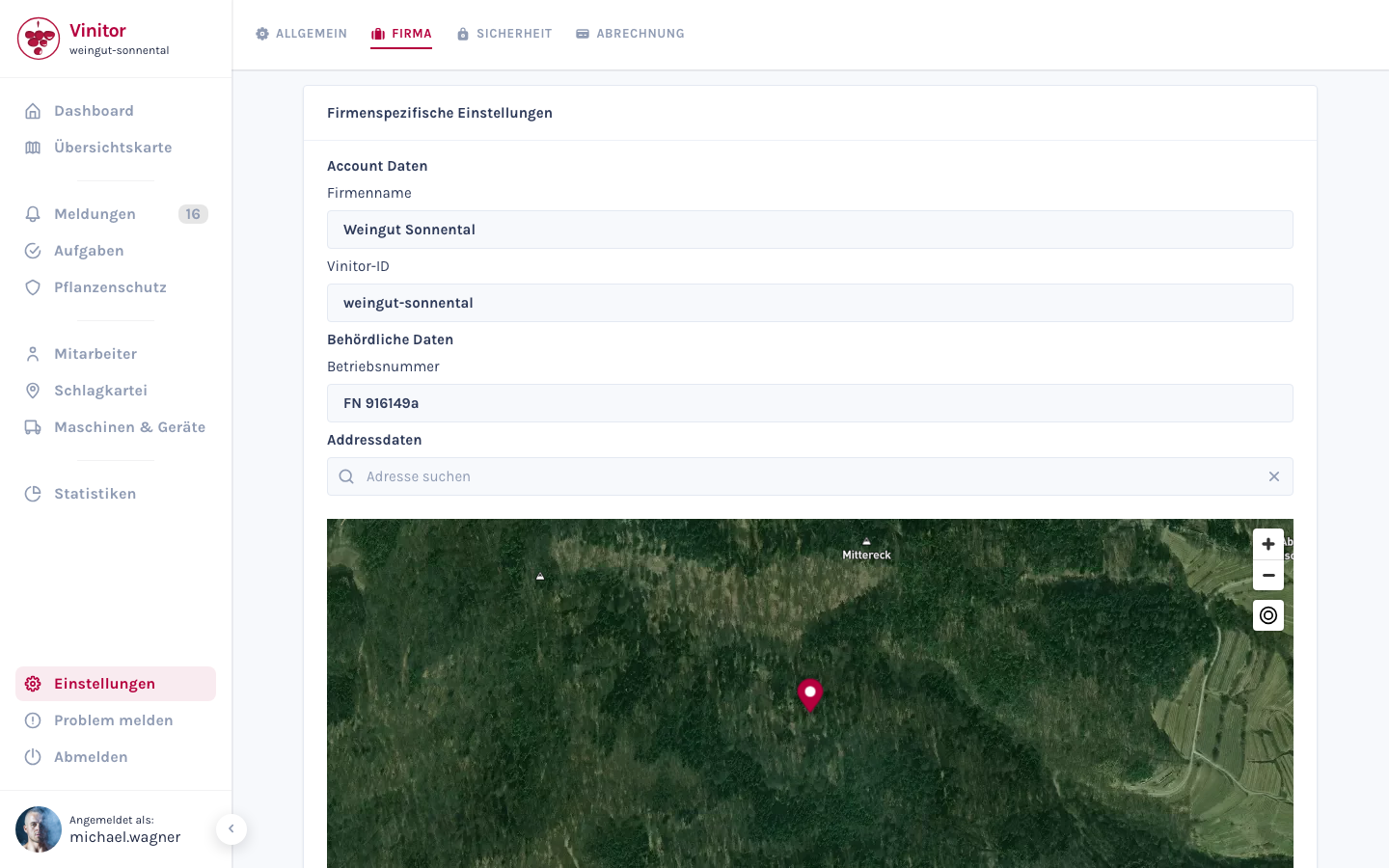
Account data
Section titled “Account data”| Field | Description | Mandatory |
|---|---|---|
| Company name | The name of your business as displayed in the dashboard and to employees | Yes |
| Vinitor ID | Unique identifier for your business — assigned automatically at registration and cannot be changed | — (read-only) |
Government data
Section titled “Government data”| Field | Description | Mandatory |
|---|---|---|
| Holding number | Your official holding number for government documentation (e.g. INVEKOS) | Yes |
Address data
Section titled “Address data”| Field | Description | Mandatory |
|---|---|---|
| Street | Street and house number | Yes |
| Postcode | Postcode of the business location | Yes |
| City | City of the business location | Yes |
| State | State of the business location | Yes |
| Country | Austria, Germany or Switzerland | Yes |
Above the address is a Mapbox search bar — enter your address and select a suggestion to automatically fill in all address fields. The map pin shows the location of your business.
Edit business data
Section titled “Edit business data”-
Open tab
Navigate to Settings → Business tab.
-
Adjust fields
Edit the desired fields. Use the Mapbox search bar to quickly fill in the address.
-
Save
Click Save to apply the changes.
Permissions
Section titled “Permissions”| Permission | Access to |
|---|---|
COMPANY_MANAGE | Edit and save all fields on the Business tab |
Related pages
Section titled “Related pages” Settings — All settings Overview of all settings sections
Create an account Business data at registration
Use the map view The business location as map centre
Roles & permissions Assign the COMPANY_MANAGE permission
SUPPORT
Need help?
Our team is happy to help with any questions about Vinitor.
Available Mon–Fri, 8am–5pm