
Equipment & machinery — Overview
The Machinery & equipment area is the central inventory for your physical business assets. Here you manage two categories — larger vehicles and machinery (e.g. tractors, harvesters) and smaller tools and equipment (e.g. shears, sprayers). For every piece of equipment and machinery, you can maintain status, usage type, costs and attachments, and assign it to tasks.
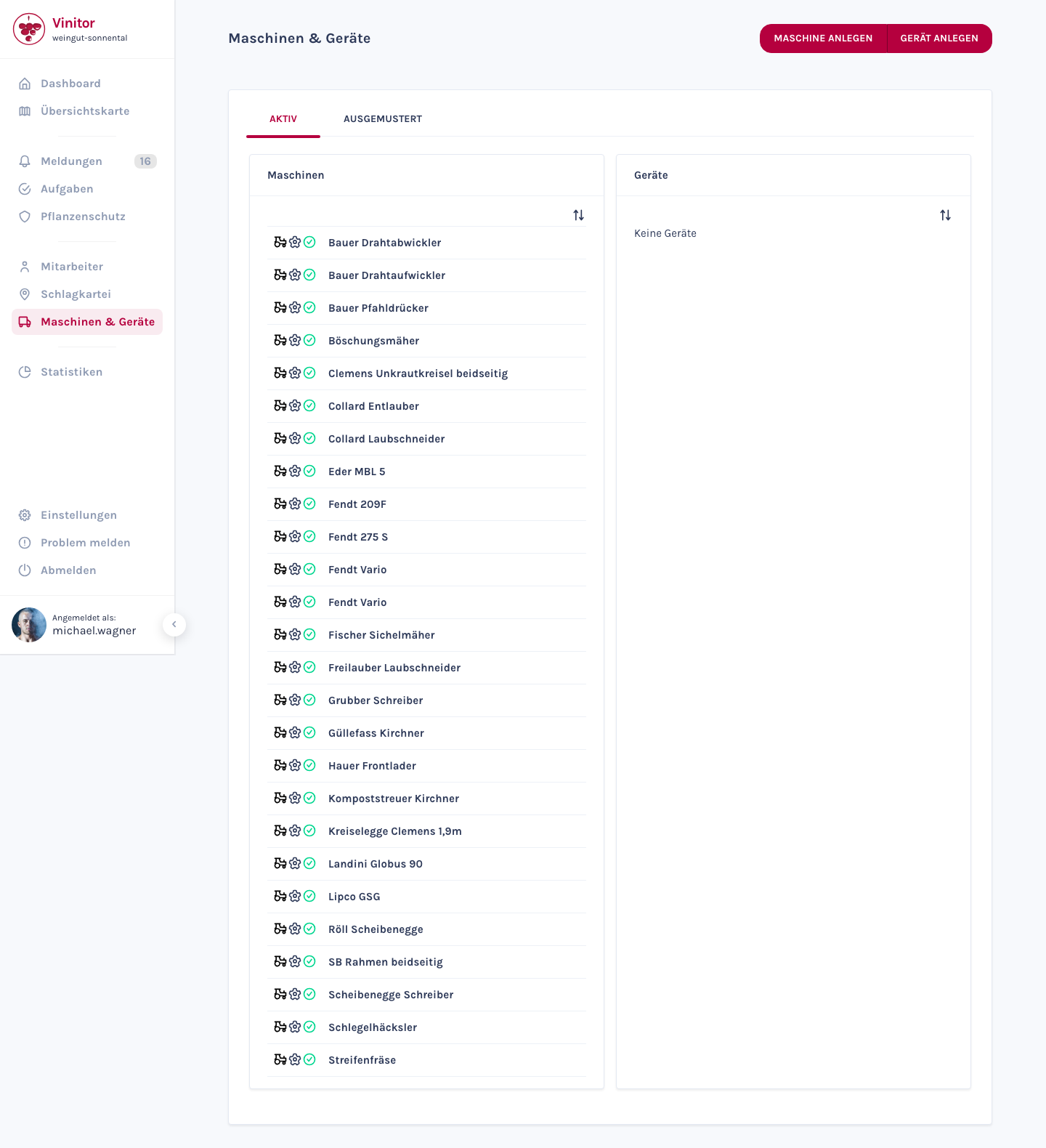
Two categories
Section titled “Two categories”Equipment and machinery share the same management page, but differ in the available fields:
| Equipment | Machinery | |
|---|---|---|
| Examples | Shears, sprayers, hand tools | Tractors, harvesters, front loaders |
| Shared fields | Name, usage type, status, build date, acquisition date, description | Name, usage type, status, build date, acquisition date, description |
| Additional fields | — | Type designation, number plate, cost per hour (€), service cost per year (€) |
Usage types
Section titled “Usage types”Every piece of equipment and machinery can be assigned a usage type:
| Usage type | Description |
|---|---|
| Seeding | For seeding and planting work |
| Harvest | For harvest work |
| Ploughing | For soil cultivation |
| Spraying | For plant protection work |
| Miscellaneous | Other uses |
Status
Section titled “Status”The status shows the current availability of a piece of equipment or machinery:
| Status | Description |
|---|---|
| Available | Ready and available for use |
| In use | Currently in use |
| In repair | Being serviced or repaired |
| Damaged | Damaged, not ready for use |
Active & Decommissioned
Section titled “Active & Decommissioned”The list view offers two tabs:
- ACTIVE — All currently active machinery and equipment, split into two columns (machinery on the left, equipment on the right). Each column has its own sort button.
- DECOMMISSIONED — Machinery and equipment that are no longer in active use.
Use the DECOMMISSION button in the detail view to move a piece of equipment or machinery to the DECOMMISSIONED tab. Decommissioned entries can be reactivated at any time.
Detail view
Section titled “Detail view”Click an entry in the list to open the detail view. There you’ll find three tabs:
| Tab | Content |
|---|---|
| GENERAL | All master data — name, usage type, status, date fields, description (for machinery, additionally: type designation, number plate, costs) |
| ADDITIONAL FIELDS | Extended fields depending on usage type (e.g. tank capacity in litres for sprayers) |
| ATTACHMENTS | File uploads for manuals, specifications or other documents |
Three action buttons are available at the top of the detail view:
- DECOMMISSION — Take the equipment/machinery out of active inventory
- DELETE — Permanently delete the equipment/machinery (requires the EQUIPMENT_DELETE permission)
- EDIT — Edit the data
Task assignment
Section titled “Task assignment”Machinery and equipment can be assigned via the Machinery & equipment tab when creating a task. This documents which assets were used for which work.
Permissions
Section titled “Permissions”Access to machinery & equipment is controlled via roles:
| Permission | Description |
|---|---|
| EQUIPMENT_READ | View machinery and equipment |
| EQUIPMENT_WRITE | Create and edit machinery and equipment |
| EQUIPMENT_DELETE | Delete machinery and equipment |
Related pages
Section titled “Related pages”SUPPORT
Need help?
Our team is happy to help with any questions about Vinitor.