
Map — Features & navigation
The overview map displays all your vineyards as polygons on a full-area satellite map (Google Maps). The polygons are automatically coloured according to task status, so you can see the current work status of your entire business at a glance.
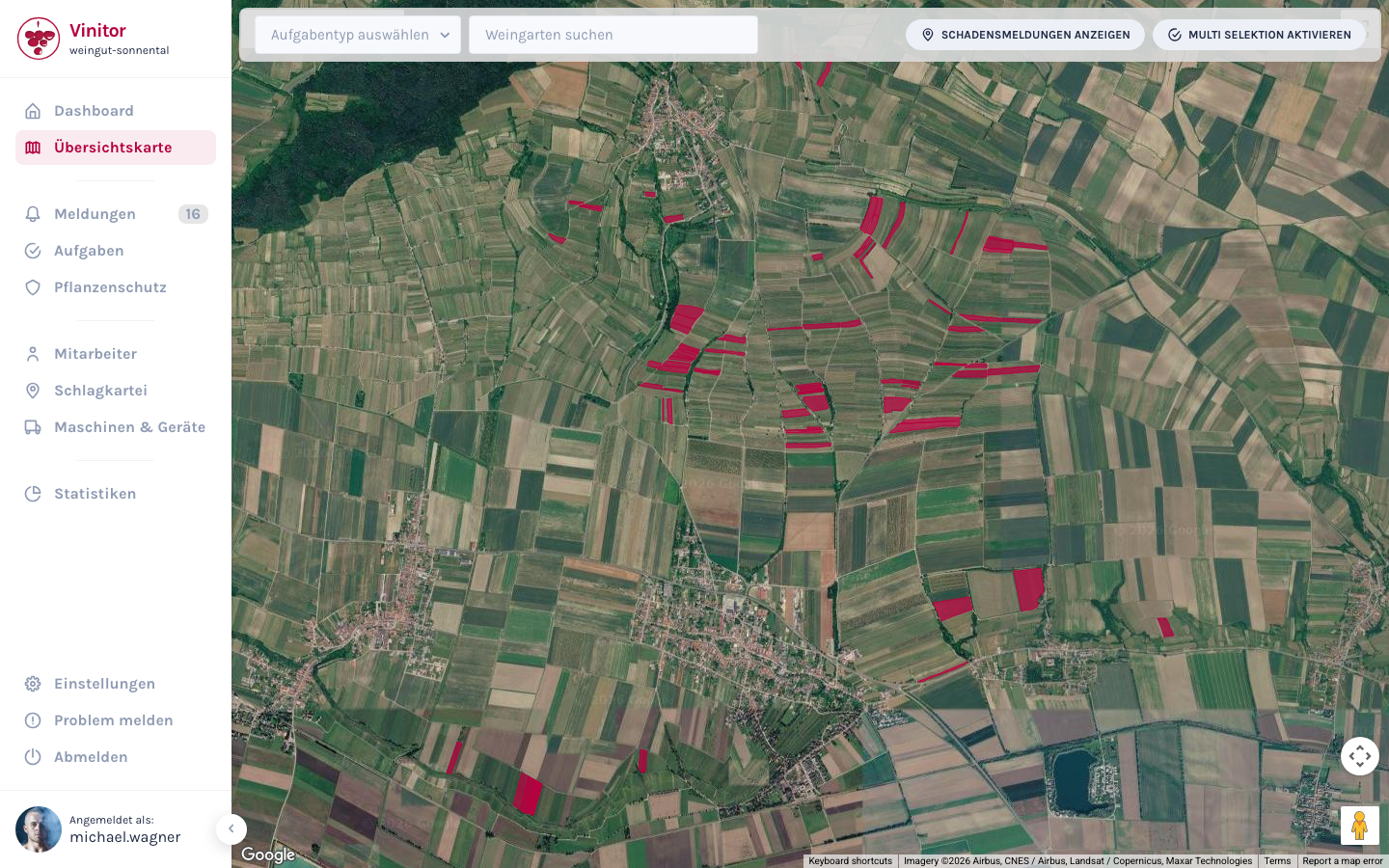
Controls
Section titled “Controls”Four controls are located at the top of the map:
| Element | Description |
|---|---|
| Task type | Dropdown menu — selects the task type by which vineyards are coloured |
| Search vineyard | Autocomplete search field — searches for a vineyard and zooms the map to it |
| Damage reports | Toggle button — shows or hides report markers on the map |
| Multi-selection | Toggle button — enables multi-selection mode for actions on multiple vineyards |
Vineyard colouring
Section titled “Vineyard colouring”The polygons on the map are coloured according to the task status of the selected task type. Vinitor picks the most relevant status: if a vineyard has both a task in progress and a completed task of the selected type, it is coloured according to the more active status.
| Status | Colour | Meaning |
|---|---|---|
| Upcoming | Blue | Task is planned but not yet started |
| In Progress | Red | Task is currently being worked on |
| Done | Green | Task is complete |
| No tasks | Grey | No entry for this task type exists |
Vineyard overlay
Section titled “Vineyard overlay”Click on a polygon to open a detail overlay. There you see the key data of the vineyard (grape variety, Ried, vineyard number, vine area) as well as tasks in progress, upcoming and completed. For details on interaction, see Map view.
Permissions
Section titled “Permissions”Access to the map is controlled via roles:
| Permission | Description |
|---|---|
| MAP_READ | View overview map |
| TASK_WRITE | Create tasks directly from the map |
| VINEYARD_WRITE | Create vineyard groups from multi-selection |
Mobile app
Section titled “Mobile app”In the mobile app its own map view is available:
- Vineyard polygons — All vineyards as polygons on the map.
- Report markers — Incoming damage reports as pins.
- GPS position — Own location is displayed on the map.
- Search vineyard — Search field for quick vineyard lookup.
- Navigation — Direct navigation to vineyard via external map app.
Related pages
Section titled “Related pages”SUPPORT
Need help?
Our team is happy to help with any questions about Vinitor.