
Statistics — Overview
The Statistics page provides analyses of your business’s working time, costs and tasks. Select an analysis category and one or more items — the data loads automatically.
Filter controls
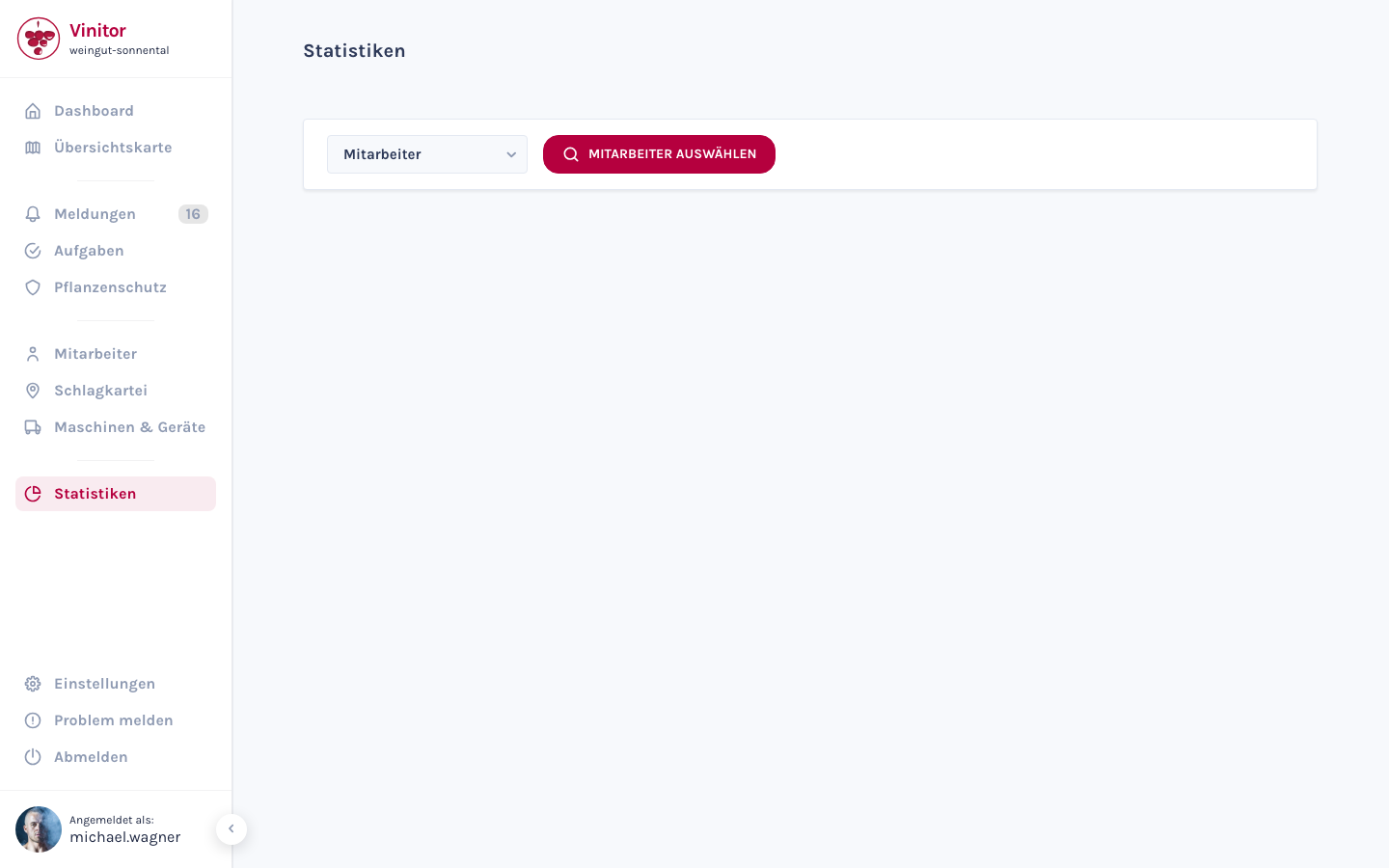
Section titled “Filter controls”The filter bar at the top controls which data is shown:
| Element | Function |
|---|---|
| Category dropdown | Selects the analysis category: Employee, Vineyards or Task type |
| Selection button | Opens a modal to select the item to analyse |
| Global date filter | The time period is controlled via the global date filter in the header |
Once you’ve made a selection, the statistics load automatically — there’s no separate “Analyse” button.
Three analysis categories
Section titled “Three analysis categories”| Category | Selection mode | Focus |
|---|---|---|
| Employee | Single selection | Working time, staff costs, most frequent task type, leave, reports |
| Vineyards | Multi-selection (incl. groups) | Working time, staff & equipment costs, total costs, custom fields, reports |
| Task type | Single selection | Working time, staff & equipment costs, total costs, custom fields, missed deadlines |
For details on all metrics, see Analyses.
Overview and History
Section titled “Overview and History”Every analysis category offers two tabs:
| Tab | Content |
|---|---|
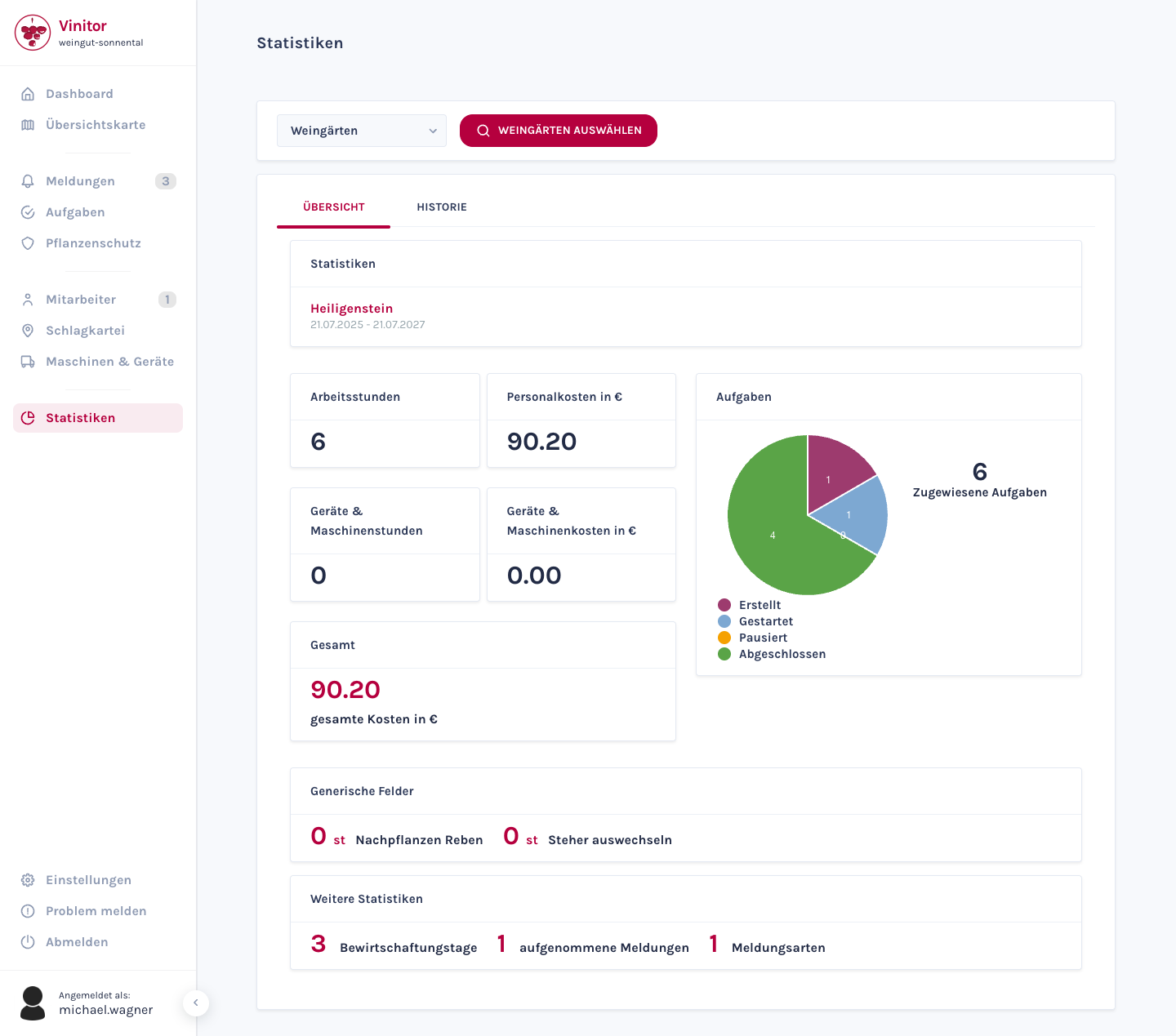
| Overview | Metric cards (hours, costs), a pie chart of tasks by status, additional statistics |
| History | List of completed tasks, grouped by date |
Shared elements
Section titled “Shared elements”All three categories share the following display elements:
- Header — Shows the selected items and the active time period
- Working hours & staff costs — Cards with recorded hours and calculated costs
- Pie chart — Tasks by status (Created, Started, Paused, Done) with the total shown in the centre. Clicking the chart opens a task list. The Paused segment is kept for historical tasks that were paused before this status was retired — for work currently under way it is always 0
- Additional statistics — Category-dependent metrics (e.g. cultivation days, reports, missed deadlines)
For vineyards and task types, equipment & machinery costs, total costs and custom fields are also included.
Permissions
Section titled “Permissions”| Permission | Description |
|---|---|
| STATISTICS_READ | View statistics |
Related pages
Section titled “Related pages” Analyses Detailed metrics per category
Tasks Task management and lifecycle
Vineyards Field record book and vineyard groups
GPS & time tracking Working time and GPS tracking
Roles & permissions Configure permissions
SUPPORT
Need help?
Our team is happy to help with any questions about Vinitor.
Available Mon–Fri, 8am–5pm